
Thermal specs can get noisy fast—but two numbers tell you almost everything: resolution and pixel pitch. They’re the biggest drivers of real-world clarity, especially once you start zooming and trying to identify what you’re looking at. This guide breaks down 256 vs 480 vs 640, explains 12µm vs 17µm without the hype, and helps you choose the right setup for your terrain and typical range.
Thermal Specs That Actually Matter
Resolution = Your Detail Ceiling
Thermal resolution is the number of temperature-sensing pixels in the sensor. More pixels = more detail. Resolution impacts recognition and identification the most—especially as range increases or conditions get harder.
- 256×192 — solid entry-level detail for closer-range use and budget builds
- 480×360 — the best all-around balance for most hunters (PARD is the first on the market to do 480 at a price point that is usually equal to the competitions 480.)
- 640×512 — highest detail for longer range and more usable digital zoom
Entry pick: Ocelot 256 Thermal Imaging Scope
Pixel Pitch = The “Pixel Size” Everyone Argues About
Pixel pitch is the size of each pixel on the sensor (commonly 12μm or 17μm). Smaller pixels can pack more into a given sensor size, but pixel pitch by itself doesn’t automatically guarantee better real-world clarity.
Here’s the honest version: resolution drives detail. Pixel pitch influences sensor design and how it pairs with optics, but you should compare complete scopes (sensor + lens + processing + display), not pitch alone.
The Combo That Matters: Sensor + Pitch + Glass
Think of it like this:
- Resolution determines how much detail the sensor can capture
- Lens + optics determine how that detail is framed at distance (field of view + base magnification feel)
- Processing + display determine how clean and readable the image looks to your eye
That’s why two “480 scopes” can look very different. Lens choice and image processing can make or break performance.
Detection vs Recognition vs Identification
These get mixed up constantly:
- Detect: something warm is out there (easy)
- Recognize: that’s likely an animal (harder)
- Identify: that’s a coyote vs a dog / hog vs calf (hardest)
Higher resolution helps most to recognize + identify, especially when the target is smaller, farther away, or the night has low contrast (humidity, heat soak, background clutter).
Digital Zoom: Where Cheap Pixels Get Exposed
Digital zoom doesn’t create detail—it crops the sensor image and enlarges it. That means lower resolution sensors become blocky faster. If you plan to scan wide and zoom often, resolution matters a lot.
Best value lane: TS34/36 LRF Thermal Imaging Scope (480 with 640 option)
The Sweet Spots: 256 vs 480 vs 640 in Real Hunting Terms
256×192: Get in the game
Great for tighter terrain, closer-range hunting, and getting reliable thermal capability on a budget. Detection is strong—identification drops sooner as distance increases.
Ocelot 256 Thermal Imaging Scope
480×360: The “do-it-all” performer
For most hunters, 480 hits the best balance: better ID than 256, more usable zoom, and strong performance across mixed terrain.
Ocelot 480 Thermal Imaging Scope
640×512: Maximum confidence
If you hunt open areas, push distance, or zoom frequently, 640 keeps detail longer and improves identification confidence—especially when conditions aren’t perfect.
Pantera eX 640 Thermal Imaging Scope
Clip-On vs Dedicated Scope: Match the Tool to the Job
Clip-ons are ideal when you want thermal capability while keeping your daytime glass and familiar rifle setup. Resolution becomes extra important here because you’re relying on the clip-on’s sensor detail to stay sharp through your optic—especially if you zoom.
Clip-on midrange: FT34 LRF Front Clip-On Thermal Imaging Scope (384)
Clip-on premium: Predator 640 Thermal Imaging Front Clip-on (640)
Monocular + Scope: The Setup That Finds More
One of the smartest real-world setups is a dedicated handheld monocular for scanning, paired with a rifle thermal for the shot. You scan wide without flagging your rifle around, spot heat signatures faster, and keep your scope ready when it matters.
Bobcat Thermal Imaging Monocular (480 or 640)
Don’t Ignore These Specs (They Change Everything)
Resolution and pixel pitch are big, but these can transform how good the image feels in real conditions:
- NETD (Sensitivity): lower usually means better separation in low-contrast conditions
- Lens size + field of view: determines how wide you scan and your base magnification feel
- Display resolution: you can’t see detail your display can’t show
- Refresh rate: smoother tracking matters for moving targets
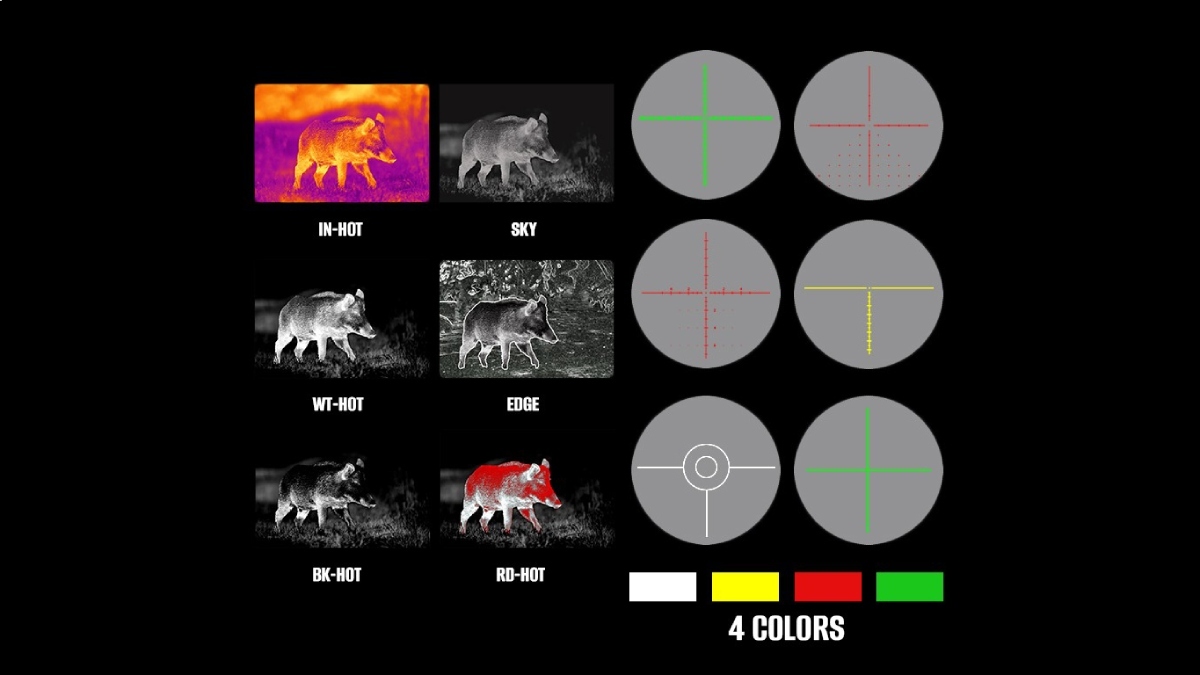
- Image processing modes: can improve edges/contrast for your environment
Recommended Setups
1) Budget Starter (Closer-range, tight terrain)
Goal: reliable thermal capability at an entry price, best for woods, shorter shots, and getting started.
- Rifle optic: Ocelot 256
- Why this setup works: 256 is plenty for detection and short-to-mid recognition, with simple performance that makes sense for new thermal users.
- Optional add-on (highly recommended): Bobcat monocular for scanning
- Why add it: you’ll find animals faster and keep your rifle ready.
2) Best Value “Do-It-All” (Most hunters should start here)
Goal: better ID confidence than 256, more usable zoom, strong performance in mixed terrain.
- Rifle optic: TS34/36 LRF (384 with 640 option)
- Why this setup works: 480 is the sweet spot for real hunting—enough detail to identify better, with fewer “blocky zoom” moments.
- Optional add-on: Bobcat monocular (480 or 640)
- Why add it: faster scanning + less fatigue + quicker target acquisition.
3) Max Confidence (Open country, longer range, heavy zoom use)
Goal: the cleanest detail and best ID confidence when distance and conditions aren’t forgiving.
- Rifle optic: Pantera eX 640
- Why this setup works: 640 maintains usable detail longer, handles digital zoom better, and gives you more confidence before you commit to the shot.
- Optional add-on: Bobcat monocular 640
- Why add it: scanning becomes faster and clearer at distance, which is huge in wide-open terrain.
4) Day Optic + Thermal Flex (Clip-on build)
Goal: keep your daytime scope and add thermal when you need it—without rebuilding your rifle setup.
- Thermal clip-on (midrange): FT34 LRF Front Clip-On (384)
- Thermal clip-on (premium): Predator 640 Thermal Imaging Front Clip-on (640)
- Why this setup works: clip-ons are perfect for versatility, and the 384 resolution is a strong balance of clarity and practicality.
- Optional add-on: Bobcat monocular
- Why add it: scanning + clip-on is a killer combo for efficiency.
Thermal Resolution + Pixel Pitch FAQs
Is 12µm pixel pitch better than 17µm?
Not automatically. Pixel pitch affects sensor design and how it pairs with optics, but resolution, lens choice, image processing, and NETD often matter more in real-world clarity.
Is 640 resolution always better than 480?
For detail and digital zoom performance, yes—640 typically holds usable detail longer and improves identification confidence at distance. But 480 is often the best value for most hunters.
Why does thermal look worse when I zoom?
Most zoom is digital, which crops the sensor image and enlarges pixels. Lower-resolution sensors get blocky sooner; higher resolution stays clearer longer.
Should I run a handheld thermal with a rifle scope?
Yes—this is one of the most efficient setups. A handheld monocular helps you find heat faster while keeping your rifle scope ready for the shot, especially if you scan a lot.
What matters besides resolution and pixel pitch?
NETD (sensitivity), lens size/field of view, display resolution, refresh rate, and image processing modes can all significantly impact clarity and usability in the field.
Bottom Line
If you remember one thing: resolution drives detail. Pixel pitch influences sensor design, but your best results come from the full system—sensor + lens + processing + display—matched to your range and terrain.
Ready to pick a setup?
If you want the fastest path to the right thermal, start with the optic that matches how you hunt—then build your kit around it.
Budget Starter (256) — get in the game
Ocelot 256 Thermal Imaging Scope
Best Value (384 with 640 option) — the do-it-all performer
TS34/36 LRF Thermal Imaging Scope
Max Confidence (640) — longest-range clarity + best zoom results
Pantera eX 640 Thermal Imaging Scope
Day Optic Flex — keep your glass, add thermal
Starter: FT34 LRF Front Clip-On Thermal Imaging Scope (384)
Premium: Predator 640 Thermal Imaging Front Clip-on (640)
Scan Faster — find what you’re looking for before you shoulder the rifle
Bobcat Thermal Imaging Monocular (480 or 640)